Back to Emacs
Emacs was my text and code editor of choice from 1998 to 2004 while studying Computer Science at university, and in the first few years working as a Software Engineer. I moved on to other development environments (e.g. Intellij IDEA) after switching projects and employers, and figured I'd probably never use it again. Now, in 2026, Emacs may once again be useful to me, only this time not for writing software.
Information chaos
Recently, I've been wanting to get organized. I have task lists and checklists in spreadsheets, apps (e.g. Todoist), and text files. I have a physical notebook that I write ideas down in. I keep shopping lists in Google Keep. I have other kinds of notes in emails, Word or LibreOffice, and text files. Birthdays are in a Contacts app. Reminders are somewhere in Google; I just tell my phone to set a reminder, and it reminds me, but I don't actually know which app to look at! Some things are in my Google calendar. Some information exists only in my brain. It's often hard for me to remember where I wrote something down, or what exactly I need to work on from day-to-day.
If I only had a (digital) brain
I started looking for a single system to manage all of that information, so I have one place to find it. I'm looking for a system that has longevity, so that the effort I put into it now will pay dividends for years to come (maybe for the rest of my life). I don't want my data locked into some company's app, subject to the whims of shareholders and quarterly earnings reports. I don't want my data in a cloud, used to train AI models or develop a marketing profile of me. I want it to be flexible and highly adaptable, so I can customize it for my own needs and preferred workflow. I need to be able to use it on my phone, desktop PC, and laptop.
While researching solutions, I came across something called org-mode, a mode added to Emacs to edit, format, and organize documents for notes, planning, and authoring. It might be exactly what I'm looking for. Org mode is probably worth a whole series of blog posts, but I don't know it well enough to write about it, so that will have to come later. If you're curious, I recommend starting with the Wikipedia page about it.
What's so special about Emacs?
Emacs is a family of text editors that started back in the mid 1970s, for use at the MIT AI Lab on PDP-6 and PDP-10 mainframe computers. If it were just a text editor, it probably would have faded into obscurity long ago.
Beyond just being a text editor, it has a built-in Lisp interpreter, and a culture of being customized. You can reshape it to be whatever you need, and you could even do that while it's running. Look at the two screenshots below.
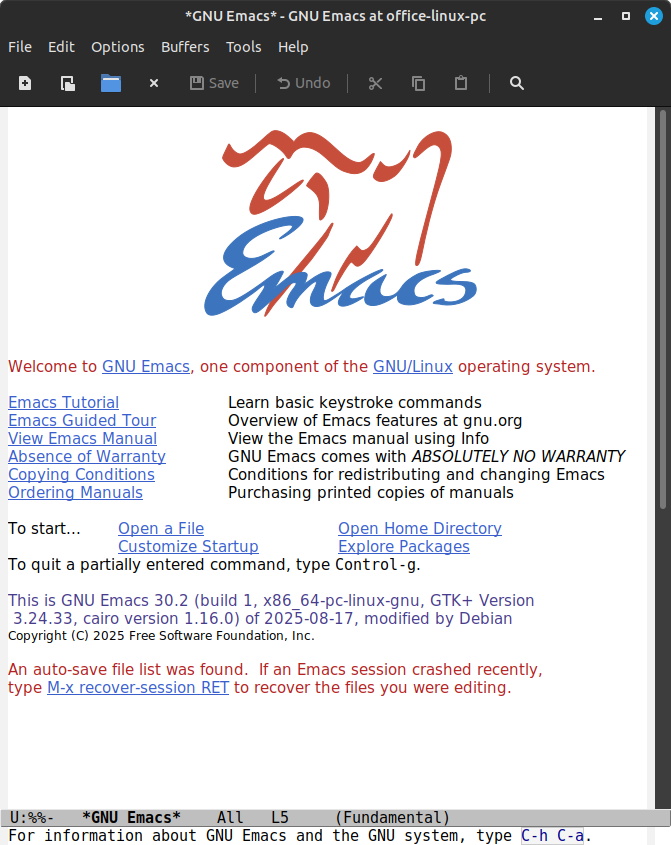
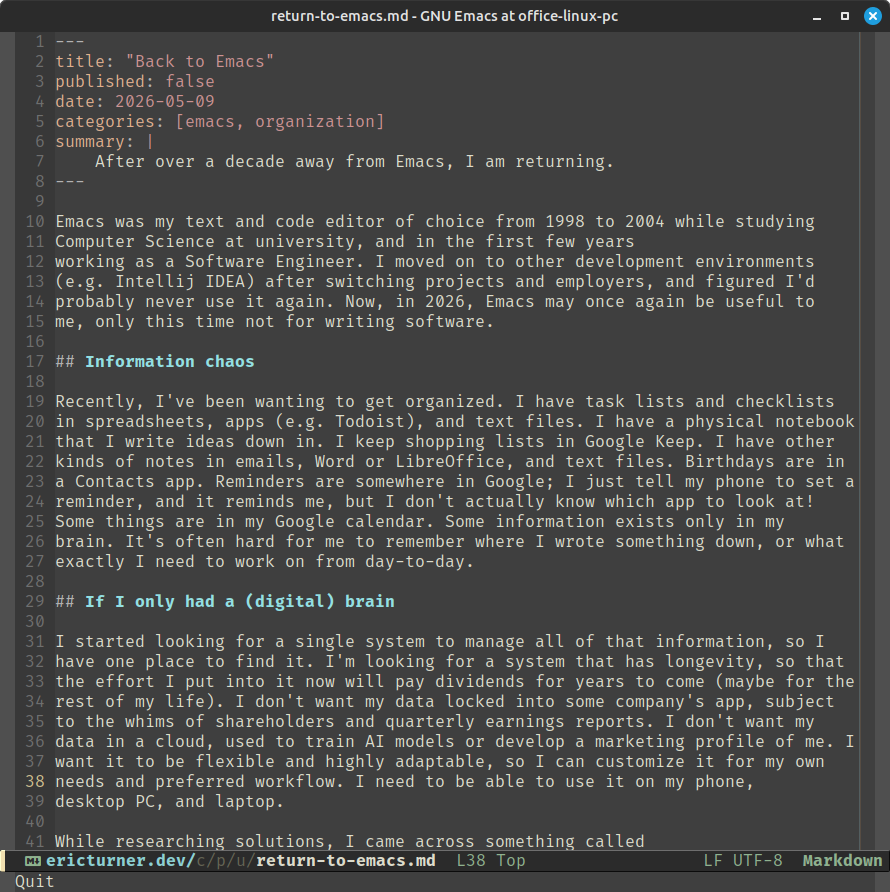
The fist image is of Emacs as it is out of the box. It's cluttered with a menu bar, tool bar, and scroll bar. The first thing it shows is an ugly logo and disorganized text. The status bar (called a mode line) uses terrible fonts, and no icons.
The second image is my customized version. The UI is significantly cleaned up. I have line numbers, a nice-looking status bar, a dark theme, and a bunch of features that can't be expressed in a screenshot.
Emacs is a programmable text editor, which means almost every part of it can be changed. It's open source, and has a large community around it. All these things are good indicators that it can be adapted for my own use, and will be useable for a very long time to come.
Next steps
It's going to take me a while to get used to using Emacs again, but I'm hopeful that this programmable editor, in conjunction with org-mode, will let me build a system and workflow that will help me be very organized. I'm trying to look long-term at the things I learn and use, and this looks very promising to me.